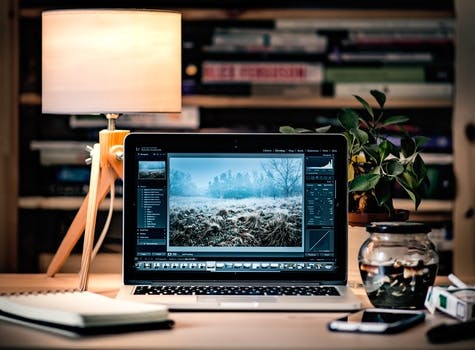
 1. Picmonkey- I've always used Picmonkey. I even wrote a post about Picmonkey here, all about why it's the best and why you should use it instead of Canva. (it wasn't even a sponsored post!)
2. Instagram- Instagram is a crucial blogging tool, because social media is very important to bloggers (by the way you should follow me on Instagram @savannahbby_14). All bloggers should be using Instagram to increase their following!
 3. I use whitagram (free on the App store) to edit all of my Instagram photos, but it can be used for blog photos, too, if you're willing to go through the hassle of importing them back and forth.
  4. Wordmark.it is probably one of the most amazing sites in all of internet history- one of them. All you do is type in a couple of letters or words or phrases (or really anything), and it loads that phrase in all of the fonts on your computer! I like to use this when I'm stuck and forgot how many awesome fonts I've downloaded over the years.
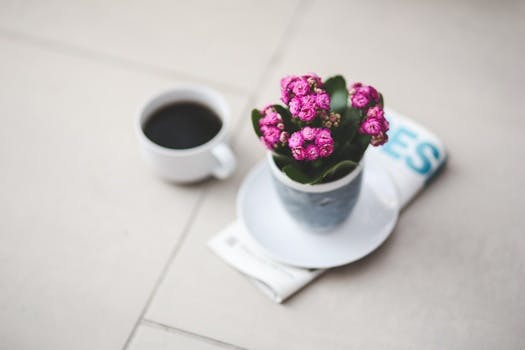
 5. Pexels (and I know I've said this many times before but I'm gonna say it again nevertheless) is by far THE BEST stock photo site in the entire history of the world ever and don't even argue with me because I'm right. The stock photos used in this post? Pexels.
6. PINTEREST!!!!! If it weren't for Pinterest, I might not even have a blog anymore (well, I might) because it's just the best thing ever. It's great for sharing everything you post and finding fun content for everything you post, like photos and inspiration and just everything.
 7. Evernote is a lifesaver. I'm such a forgetful person, and I'm also a person that loves to make so many lists, so Evernote is honestly the best resource on this list because it allows me to track blog posts and other things to do all in one convenient app.
 8. Dafonts is so awesome, I bet I could write an entire post just about how much I love and use Dafonts on a monthly basis. They have (probably) millions of free fonts to download, and I love them. I love them. I love it. This is the best font site ever...
 9. Elle & Co. is an amazing entrepreneurship blog that provides a ton of information about starting and hosting your own blog/business, and they have a ton of information to offer for FREE.
 10. Spotify is technically a music service, but I can really get lost in my writing if I'm listening to a good song, which is why I wanted to include this on my list.
11. Google Calendar is a lifesaver. Otherwise known as iCal, or just the default Apple Calendar found on all iPhones, I've been using this for almost a year now to track all of my blog posts and can happily say that it works wonders.
12. I feel like I should include Wonderlass blog because it has helped me so much with just a couple of useful blog posts- it's an awesome blog and they will help you out so much if you're a beginner, or maybe even if you're a full-on professional.
Well, it looks like that was the last post for February- how are we already almost three months (one quarter) into 2016? That's crazy! HAPPY LEAP DAY!!!
xo Savannah